Reverse Engineering the Apple QuickTake 200 in 2026
The Apple QuickTake 200 was released on February 17, 1997 and discontinued the same year, when Steve Jobs returned to Apple and started cutting everything that wasn't essential. It lived for less than a year and it was one of the first consumer digital cameras ever made. It cost $749 and it shot at 640×480.
I have one and I wanted to actually use it, but that turns out to be a surprisingly deep rabbit hole.
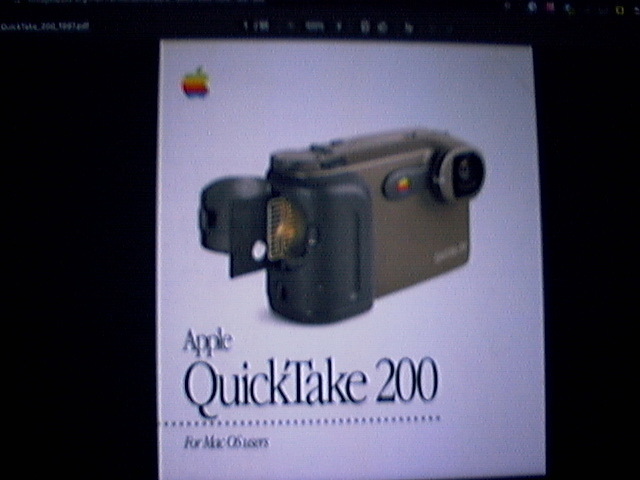
Taken with QuickTake 200
The hardware problem
Before you can think about software, you have to solve two physical problems: the cable and the memory card.
The cable
The QuickTake 200 connects via a mini-DIN 8 connector — the same port Apple used for serial communication on Macs, labeled "modem port" or "printer port" on the back of a Power Mac. If you have a working Power Mac from that era, you're already halfway there, but if you don't (and most people don't) you need to build a chain.
The chain looks like this:
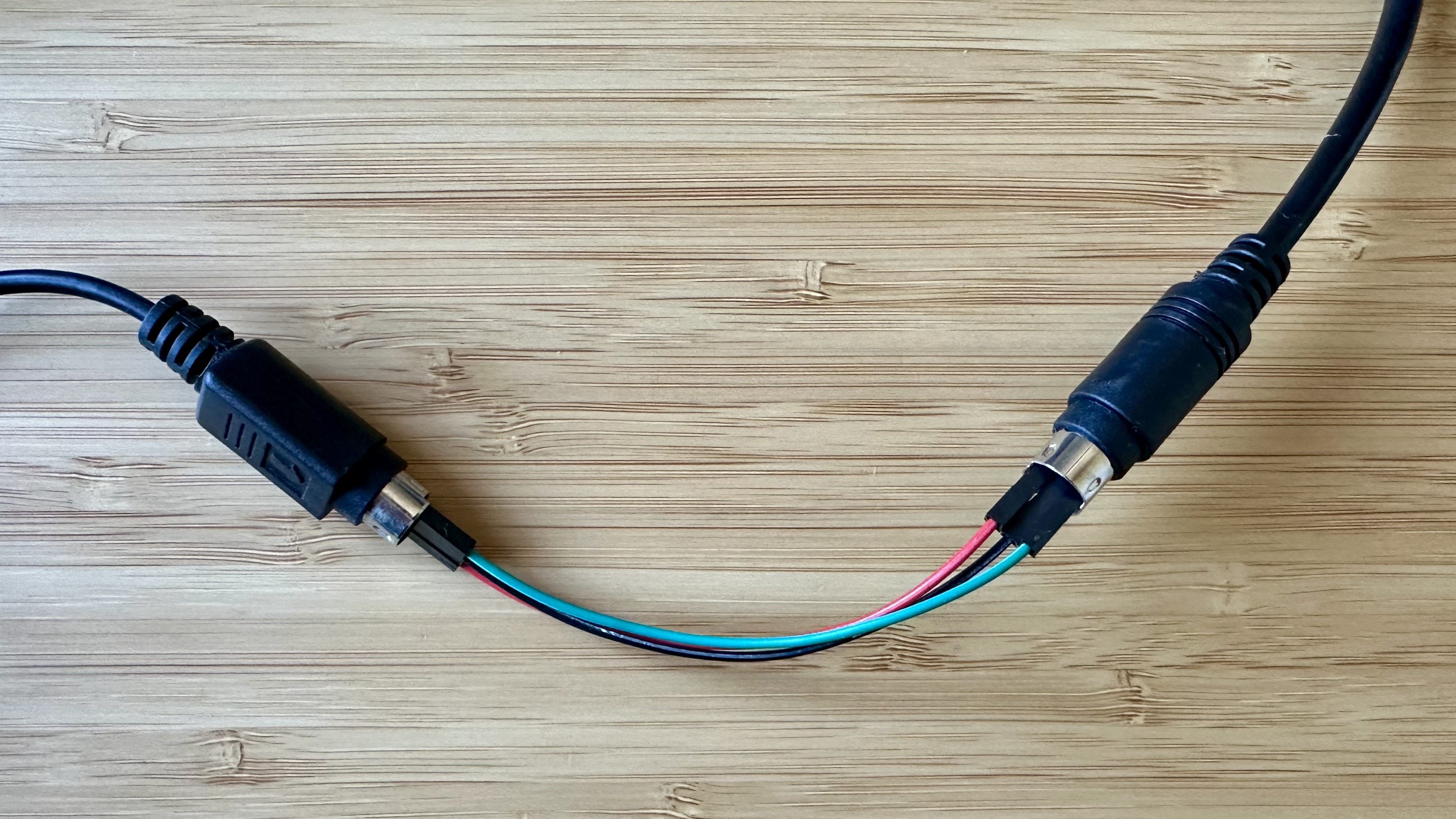
Camera (mini-DIN 8) → gender changer (female–female) → FTDI USB adapter → modern computer
The FTDI FT232RL is a USB-to-serial adapter that speaks the right voltages and you can find them on internet easily.
But the gender changer is harder, because there aren't many vendors. I found a few that work:
One warning: not all gender changers are wired 1:1. If you get no response from the camera, check your pinout against Andy Baird's cable guide, which is the best reference I found.
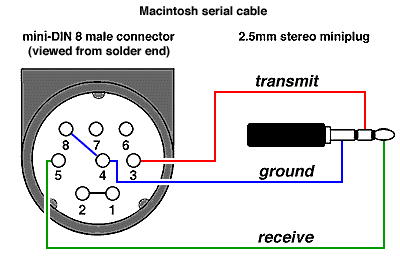
Pinout diagram — andybaird.com
In any case, you can go this way:
The memory card
The QuickTake 200 uses a SmartMedia card. But not just any SmartMedia card.
There are two kinds: 3.3V and 5V. They look almost identical, but they're not. The difference is a 3.3V card has the upper-right corner cut off, a 5V card has the upper-left corner cut off. The QuickTake 200 needs the 3.3V version.
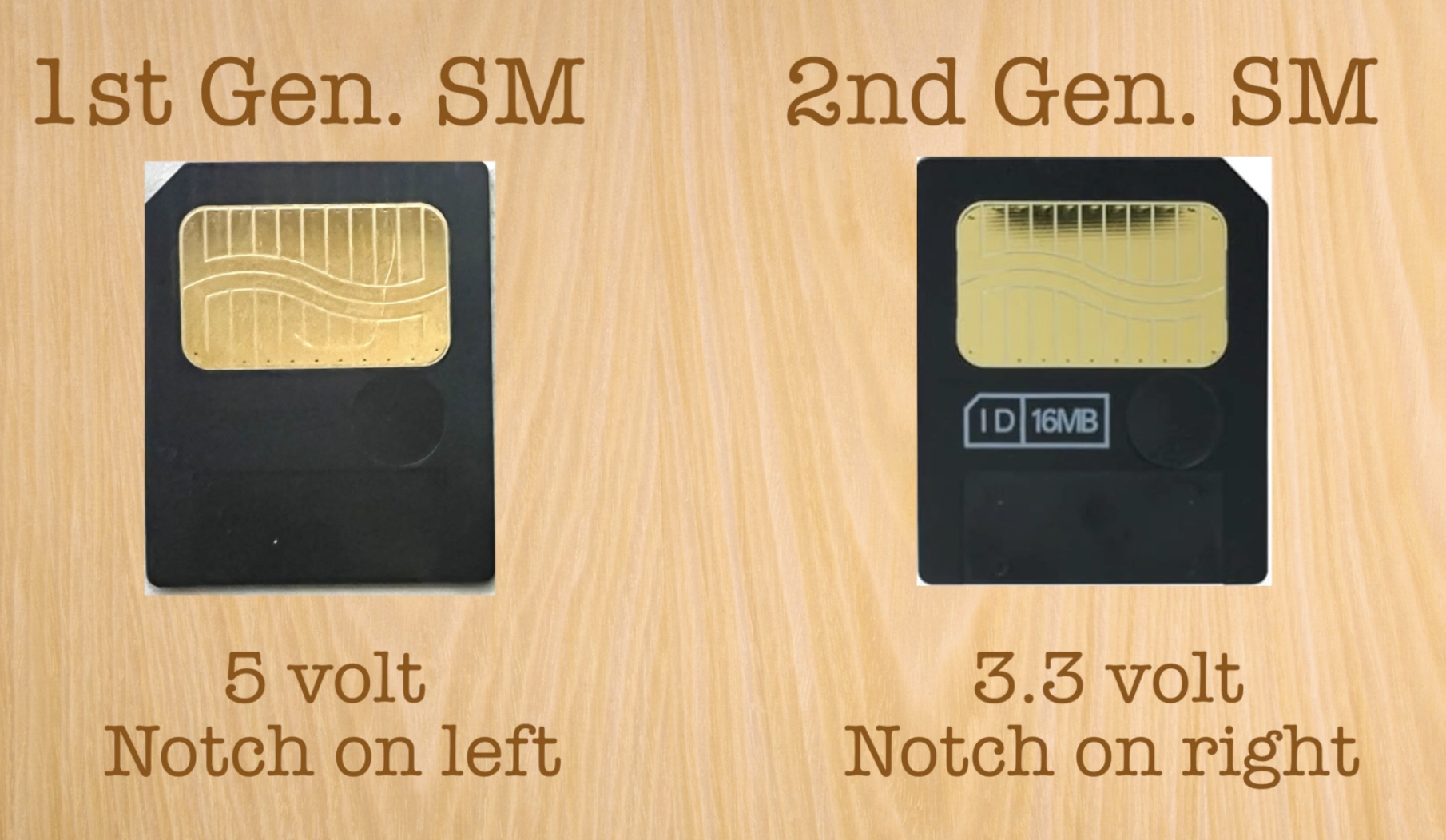
Left: 5V SmartMedia. Right: 3.3V SmartMedia — Mr. Brown’s Basement
You can still buy 3.3V SmartMedia cards. The harder part is reading them — if you want to pull photos off the card directly without going through the camera's serial connection, you need a SmartMedia card reader. These stopped being made around the same time as the cards themselves.
The options I know of:
- FUJIFILM SM-R1 / SM-R2 — reportedly work with iPhones
- IO DATA PCFDCIV-ADP / USB2-PCADPG — reportedly work with Windows via a PCMCIA-based readers
- Sandisk Imagemate SDDR-09 — reads both 3.3V and 5V cards
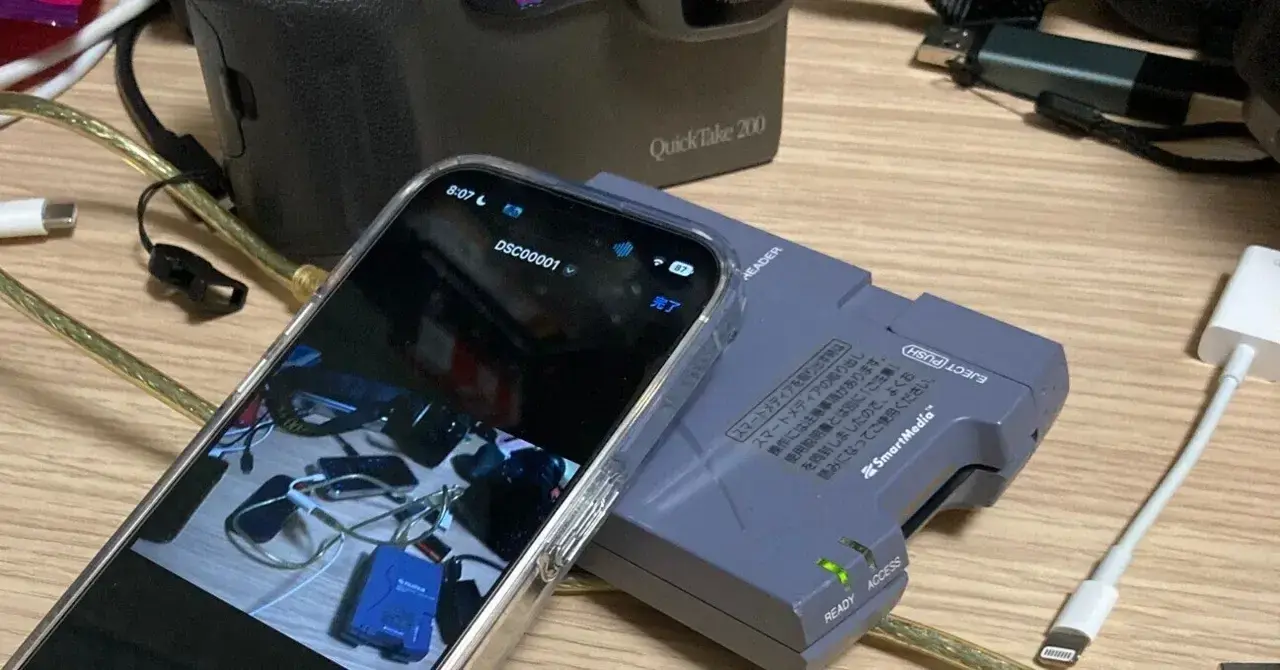
Photo by Yonehara Ryuhei
All of these are out of production and hard to find. If you have one, please keep it.
The camera itself
The QuickTake 200 is almost universally described as being based on the Fuji DS-7. But it's not — it's based on the DS-8 — a quieter sibling announced in October 1996, six months after the DS-7. The DS-8 added a high-quality fine shooting mode, improved image sharpness, and, crucially, a clip-on viewfinder, which had been the main complaint about the DS-7. The QuickTake 200 inherited all of this.
The evidence is right here.
The protocol
This is where it gets interesting.
The QuickTake 200 speaks a binary serial protocol over that mini-DIN 8 connection. The protocol is documented barely in a few archived pages from the 1990s. The best source I found is a Japanese reverse engineering writeup by Mamoru Ohno (in English) and a series of pages by Christian that document the Fuji MX protocol, which is close enough to work as a reference.
Handshake and speed negotiation
Every session starts the same way. The computer sends a single ENQ byte (0x05). The camera responds with ACK (0x06). Then the computer immediately negotiates a higher baud rate — the connection starts at 9600 baud, which is painfully slow for image data, and can be bumped all the way to 115200.
→ 0x05          (ENQ)
← 0x06          (ACK)
→ [CHANGE_SPEED command, target rate]
← [response: 0x00 = OK]
The CHANGE_SPEED command is sent as a full framed packet (described below). After the camera acknowledges the new rate, both sides switch immediately. If you miss the timing, you have to restart.
Packet framing
All communication after the handshake uses the same packet format. It's a variant of the classic BSC (Binary Synchronous Communications) framing:
DLE STX | [data with DLE stuffing] | DLE ETX/ETB | BCC
- DLE (
0x10) is the escape character. It marks the start and end of packets. - STX (
0x02) starts the data block. - ETX (
0x03) ends the last packet. ETB (0x17) ends an intermediate packet — more data is coming. - BCC is a one-byte checksum: XOR of all data bytes plus the control byte.
The tricky part is DLE byte stuffing: if 0x10 appears in the actual data, it gets doubled (0x10 0x10). The receiver strips one of them. This is how you distinguish "DLE as data" from "DLE as control."
The data portion of each packet has a fixed structure:
[Command: 2 bytes] [Length: 2 bytes, little-endian] [Payload: variable]
A real command packet for DOWNLOAD_IMAGE (frame 0) looks like this:
10 02          DLE STX
00 02          Command (DOWNLOAD_IMAGE)
02 00          Length (2 bytes of payload)
00 00          Payload (frame number, `uint16` LE)
10 03          DLE ETX
XX             BCC
Command reference
These are the commands I've implemented so far:
| Command | Bytes | Description |
|---|---|---|
DOWNLOAD_THUMBNAIL |
00 00 |
Download thumbnail for frame N |
DOWNLOAD_IMAGE |
00 02 |
Download full image for frame N |
GET_SOFTWARE_VERSION |
00 09 |
Returns version string, e.g. "1.0,QuickTake 200" |
GET_PICTURES_NUMBER |
00 0B |
Returns uint16: number of photos stored |
GET_PICTURE_NAME |
00 0A |
Returns ASCII filename for frame N |
GET_PICTURE_SIZE |
00 17 |
Returns uint32: image size in bytes |
CHANGE_SPEED |
01 07 |
Negotiate new baud rate |
Frame numbers are passed as little-endian uint16 in the command payload.
The image format
When you request a thumbnail, the camera doesn't send a JPEG. It sends something stranger: an EXIF envelope containing the metadata, followed by raw YCbCr pixel data.
The EXIF header gives you:
- Make, model
- Shutter speed (in APEX units — needs converting)
- Aperture (also APEX)
- Date/time
- Image dimensions
- Offset and length of the raw pixel data (
StripOffsets,StripByteCounts)
The pixel data itself is packed as 4-byte groups: [Y0, Y1, Cb, Cr]. Each group encodes two horizontally adjacent pixels sharing the same chroma values (this is standard 4:2:2 subsampling).
To get RGB:
R = Y + 1.402 × (Cr - 128)
G = Y - 0.344136 × (Cb - 128) - 0.714136 × (Cr - 128)
B = Y + 1.772 × (Cb - 128)
Conversion formula via mir.com/DMG
Full images (via DOWNLOAD_IMAGE) are standard JPEG — 640×480, sRGB, with QT-200 in the device model field. The camera sends a valid JPEG directly, so you can write the bytes to a .jpg file and open it immediately.
The client
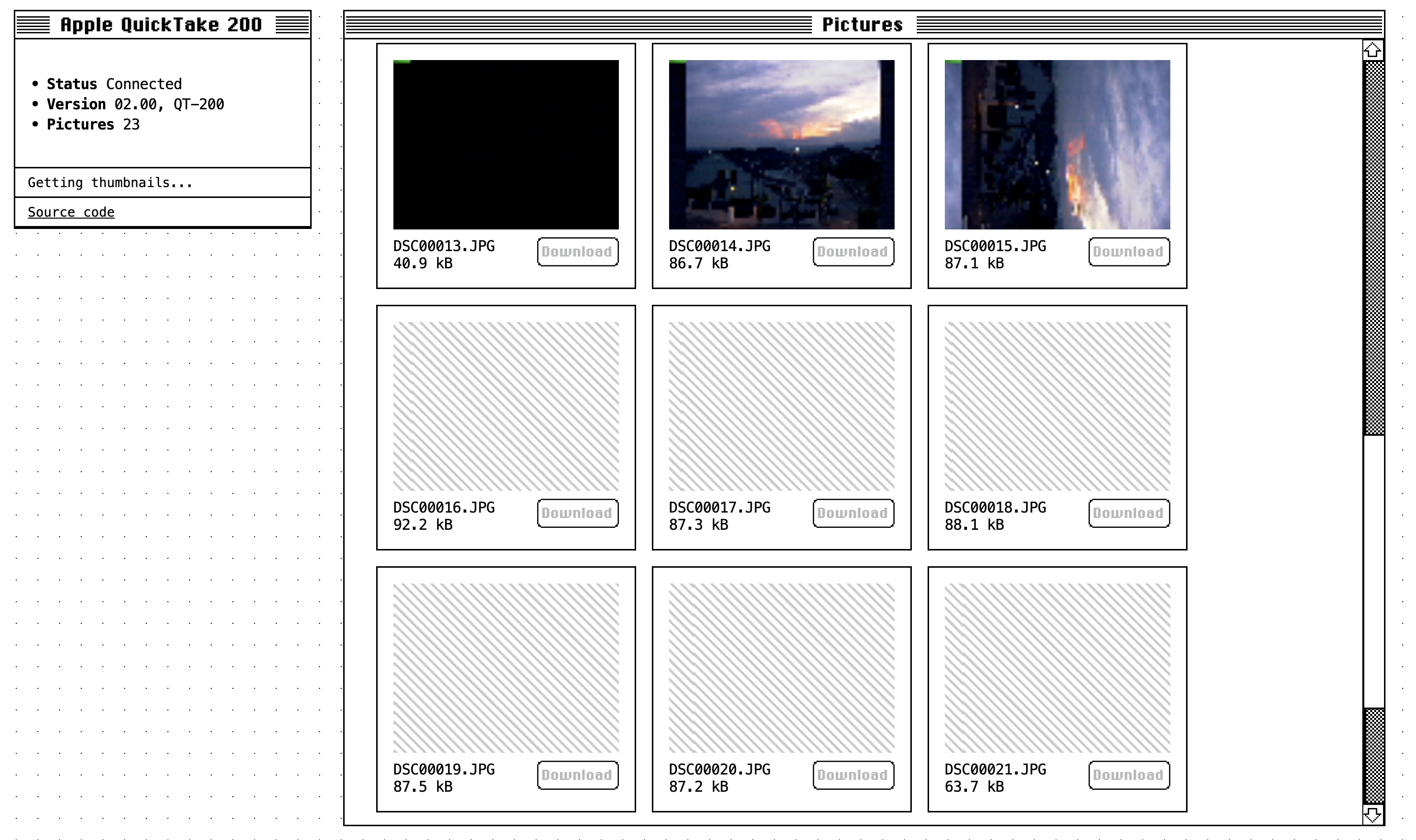
I published the code here. It's a TypeScript monorepo with three packages: client is the core library — protocol, transport, and client; app is the browser UI; cli is the script for testing without a browser.
There are two implementations: WebTransport (wraps the browser Web Serial API) and NodeTransport (wraps the serialport). The protocol and client layers don't care which one they're talking to.
The browser client requires Chrome — other browsers doesn't support Web Serial API yet. You plug in the camera, open the page, click Connect, and the browser prompts you to pick the serial port. From there, the client negotiates speed, queries the camera, and downloads thumbnails with their EXIF metadata.
Why bother
The QuickTake 200 took its last photo in 1997. The software that came with it ran on System 7. The protocol it speaks was designed for baud rates measured in the thousands.
And yet: the protocol is clean, the framing is sensible, the EXIF data is all there. Someone at Fuji thought carefully about this. The camera still talks and you just have to know how to listen.
This is what I find worth preserving about old hardware — not the nostalgia, but the craftsmanship buried inside things that were designed before planned obsolescence became the default.
Links
- Andy Baird's QuickTake 200 cables guide
- Apple QuickTake 200 User Manual (PDF)
- Fujifilm DS-8 — Digital Camera Museum
- Fuji protocol reference (archived)
- Christian's FujiMX protocol docs (archived)
- Getting images off a QuickTake 200
- How to use an Apple QuickTake in 2025
- QuickTake for Apple II (serial cable instructions)
- JQuickTake — Java client
- a2tools QuickTake source
- SSFDC / SmartMedia format internals
- QuickTake 200 series — Journal du Lapin